I Read!
Publisher Description
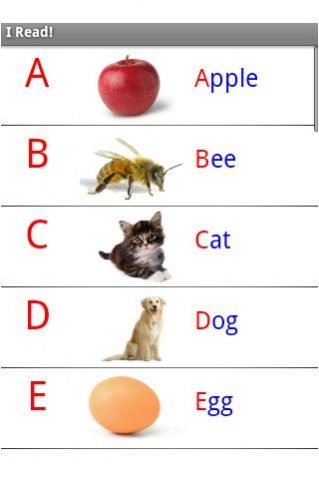
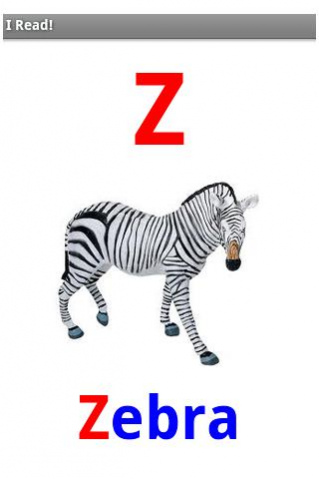
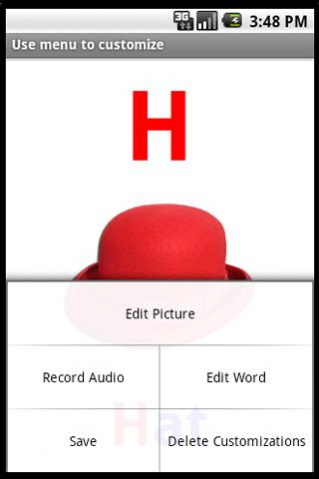
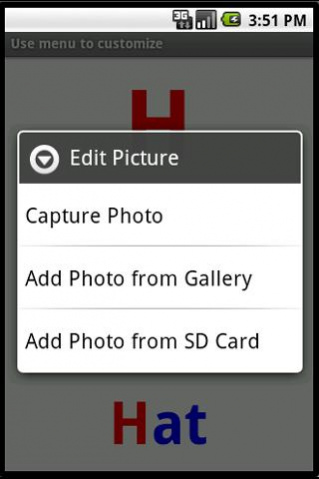
Reading for kids - children learn to read easier when the ABC's remind them of familiar things. The alphabet letter flash cards can be customized with the words your kid likes and understands the most - take a picture of her or his favorite friend or toy and record the name in your own voice.
Add drawings and fun effects like stickers from Aviary to make the flash cards interesting. Unleash your creativity with the supported Samsung S-Pen.
Research shows that customized flash cards are the quickest way to associate the letters of the alphabet with words and sounds. Professionals use this method for children with delays in their reading skills.
The app is particularly useful for teachers, speech therapy and parents. It comes with a standard set of pictures and letter sounds which can be customized with new words, pictures, recordings and files from external sources.
*Option to install on SD card. Demo version with the letters A to H is available as a free download - search for "wsiir" on Google Play.
About I Read!
The company that develops I Read! is Wizard Solutions Inc. The latest version released by its developer is 1.0 .
To install I Read! on your Android device, just click the green Continue To App button above to start the installation process. The app is listed on our website since 2016-03-02 and was downloaded 6 times. We have already checked if the download link is safe, however for your own protection we recommend that you scan the downloaded app with your antivirus. Your antivirus may detect the I Read! as malware as malware if the download link to com.wsi.iread is broken.
How to install I Read! on your Android device:
- Click on the Continue To App button on our website. This will redirect you to Google Play.
- Once the I Read! is shown in the Google Play listing of your Android device, you can start its download and installation. Tap on the Install button located below the search bar and to the right of the app icon.
- A pop-up window with the permissions required by I Read! will be shown. Click on Accept to continue the process.
- I Read! will be downloaded onto your device, displaying a progress. Once the download completes, the installation will start and you'll get a notification after the installation is finished.
Program Details
System requirements
Download information
Pricing
Version History
version
posted on 2016-03-03
Added drawing and fun effects with Aviary
